Crumbs, the phone app
Catch the idea on your phone. Find it on your beat board.
Crumbs is CanonDraft's app for iPhone and Android, and it does one job: it keeps the thought you'd otherwise lose on the way home.
Write it on a sticky note or say it out loud, pick the script, and post it. It's waiting on that script's beat board when you sit down to write.
Free. Signs in to the same desk as the website.
she lies to the coast guard
the lamp goes out on purpose?
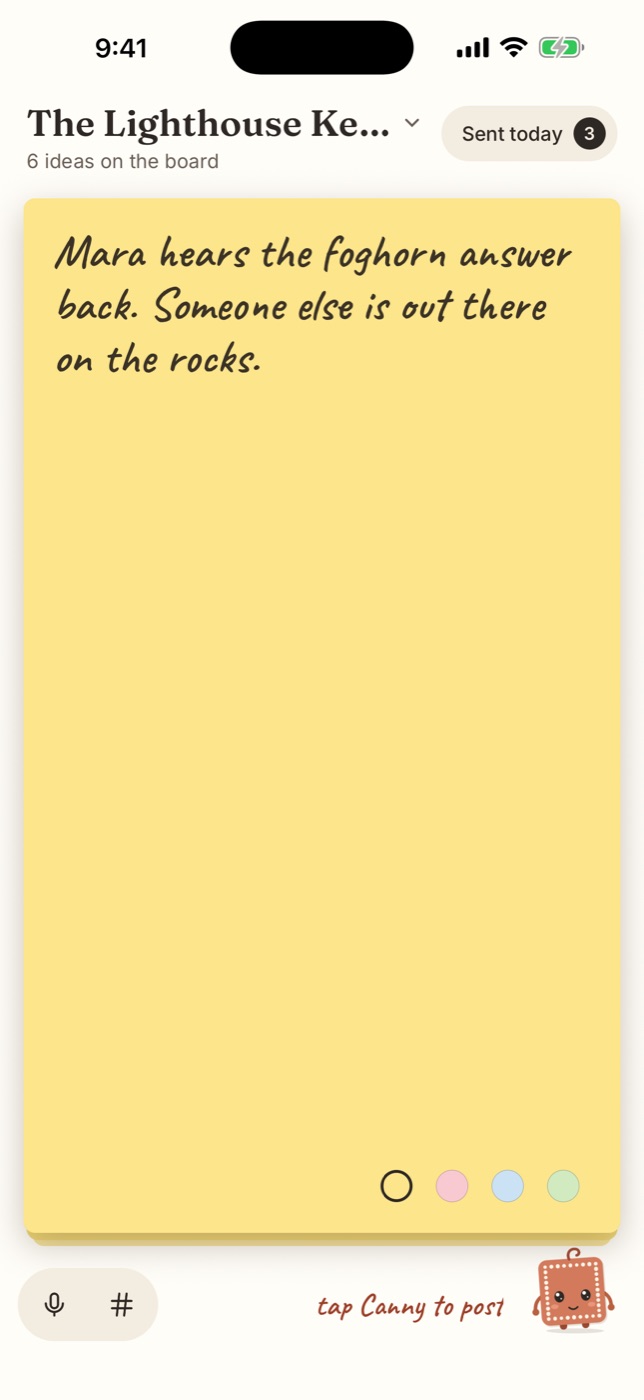
Mara hears the foghorn answer back. Someone else is out there on the rocks.
From your phone · just nowFree
For iPhone and Android, with the same free CanonDraft account you write with.
One job
Catching ideas. You don't write pages on your phone; you write them at the desk.
Straight to the board
Each idea lands on the beat board of the script you picked.
No signal? Fine
Ideas wait on the phone and send themselves when you're back online.
The short answer
Is there a phone app for saving screenplay ideas?
Yes: Crumbs, free on the App Store and Google Play. Sign in with your CanonDraft account, jot or say the idea, choose which script it belongs to, and it lands on that script's beat board, ready to plan into the outline at your desk.
It's for catching ideas, not for writing the script on a phone.
A few seconds, start to finish.
Crumbs opens on a blank sticky note with the keyboard up. Write the idea, or tap the mic and say it: your phone turns it into words.
Tag it with a character, a place or anything you like. Crumbs suggests the tags already on that board and the names in your script.
1. Jot it, or say it
Type on the sticky note, or tap the mic and say the idea out loud.
2. Pick the script
Every script on your shelf is there. Start a new one from the phone if the idea needs a home.
3. Post it
Tap Canny and it's on its way to that script's beat board, tagged if you like.
Sent the wrong thing? Fix it with a tap.
Sent today lists every idea you posted since midnight. Tap one to fix the words, change its tags or move it to another script, or bin it.
Older ideas live on the beat board at your desk, with the rest of the story.
Sent today
Tap one to fix or move it
Mara hears the foghorn answer back.
The Lamp9:41#Mara
the lamp goes out on purpose?
The Lamp8:12#Lighthouse
Open on the wedding, not the funeral
Second Summer7:30
Older ideas live on the beat board at your desk.
Write the scenes. The outline keeps up.
Open the Notebook and every scene you've written is there in order, with who's in it and how many pages it runs. Nothing to set up and nothing to keep in sync: write a scene heading and the outline has it.
Beside it, a beat board for everything that isn't a scene yet. When an idea finds its place, drag it into the outline.
- 1Jot it downLoose ideas go on the beat board, in any order. Nothing there touches your script.
- 2Place itDrag an idea into the outline. It waits there as a planned scene, marked in your pages, until you write it.
- 3Move itDrag a scene up or down and its pages move with it. The page strip shows how long each one runs.
Lay it out as three acts, Save the Cat, the hero's journey, a film with an interval or a TV episode, or no template at all. Export a one-line order as a PDF or the outline as a Word file.
Questions
Before you fade in.
Is Crumbs free?
Yes. Crumbs is free on the App Store and Google Play, and so is the CanonDraft account it signs in to.
Can I write my screenplay on my phone with it?
No, and that's on purpose. Crumbs catches ideas for a script's beat board. The pages are written at your desk, in your browser on a computer or tablet.
Which phones does it run on?
iPhone, from the App Store, and Android phones, from Google Play.
Do I need a CanonDraft account?
Yes: sign in with the account you write with on canondraft.com, or make one, free. Your scripts and their beat boards are the same on the phone and at the desk.
What if I don't have a script yet?
Start one in Crumbs and post your first idea to it. It's on your shelf at canondraft.com too.
What happens without a signal?
The idea is kept on your phone first and sent as soon as there's a connection, so nothing you jot is lost to a dropped signal.
Where do my ideas go?
To the beat board in that script's Notebook. From there, drag them into your outline when you're ready to plan.
Pricing
The desk is free. The darkroom costs a little.
Photos are made by Google's image models and cost real money to develop. Everything else is yours.
The desk
$0to write
- Up to 3 scripts, in true screenplay format
- A bible of your cast and places
- The desk: cards, boards and red string
- The notebook: a beat board and your outline
- Notes from readers on any draft
- Crumbs, for ideas from your phone
- Research with cited sources
- The writers' room and tension map
- Saved to your account, on every device
The darkroom
$21/ month, or $200 / year
- Everything on the desk
- Unlimited scripts
- 100 photos a month: Polaroids of your cast, postcards of your places
- Turnarounds, expression sheets, mood boards
- Eight film looks, one consistent world
The fine print, in plain words
Your pages are yours
We never train AI on your writing, sell it, or put ads beside it. Google's paid Gemini API, which runs the AI, doesn't use it to improve Google's products either.
Take it anywhere
Export any script as a PDF, Fountain or Final Draft file, on any plan, any time. Nothing to pay to leave.
If Pro ends, nothing locks
Every script and photo stays open to write in, read and export. Only new photos, and more than 3 scripts, wait for Pro.
Quiet on set. Your story's up.
Open the desk and write the first scene. It takes less time than reading this page did.
An idea on the way home? Send it from your phone.